Monitor Sharpness Test
Evaluate your monitor's sharpness and text clarity with our free online sharpness test. Run the test in full screen to check image detail, edge definition, and display clarity.
What Is Monitor Sharpness?
What Affects Monitor Sharpness?
How to Test Monitor Sharpness
Common Sharpness Problems
Tips for Better Sharpness
Frequently Asked Questions
What is the best sharpness setting?
There is no universal setting. The best sharpness level depends on your monitor model and personal preference. A good setting should produce clear text without visible halos.
Does higher resolution improve sharpness?
Yes. Higher resolutions generally produce sharper images because more pixels are used to display fine details.
Can this test measure sharpness automatically?
No. Browser-based tests cannot measure hardware sharpness directly. Instead, they provide reference patterns that help you visually evaluate your monitor.
Why does text still look soft on a high-resolution display?
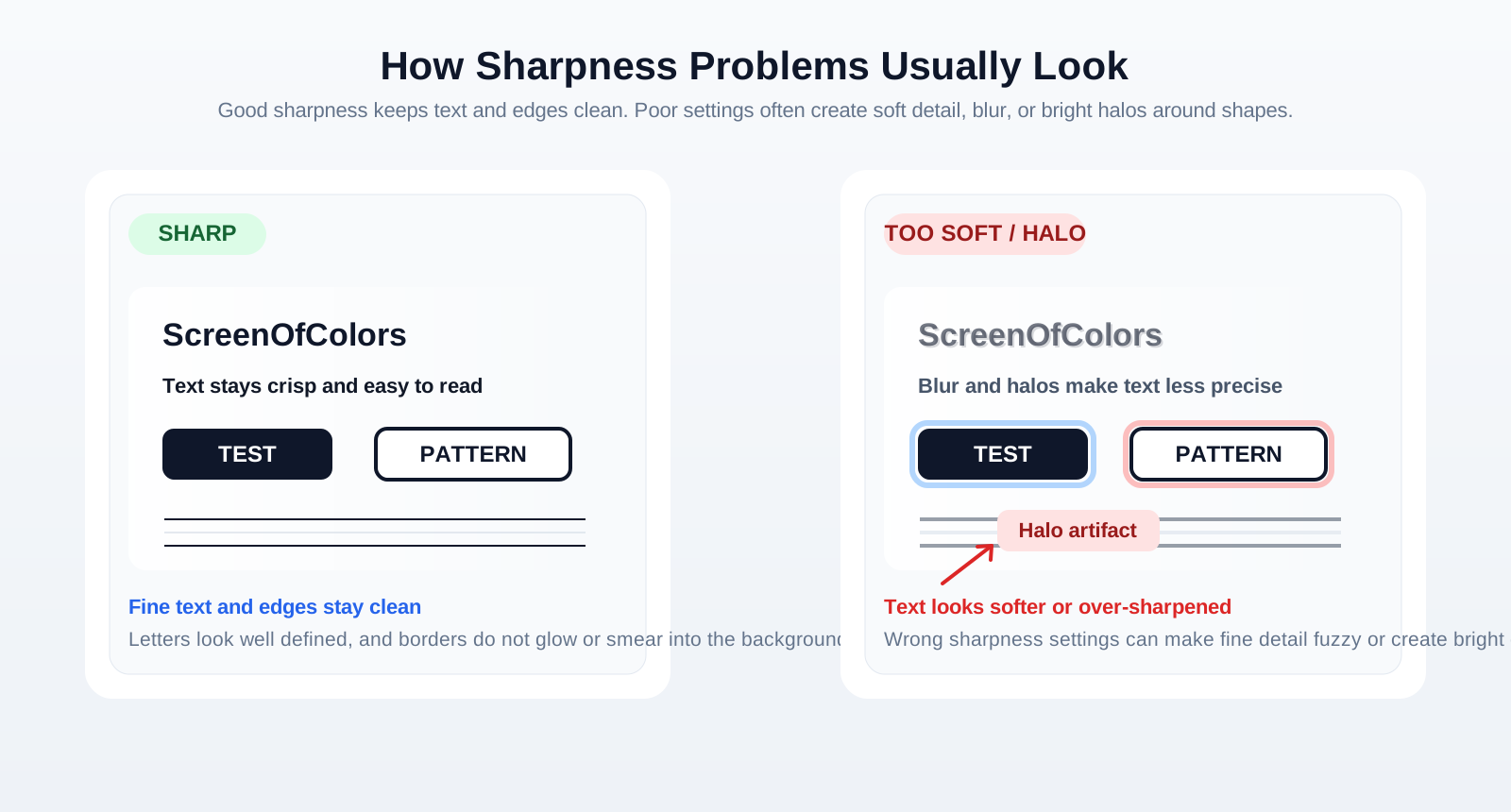
Soft text can still happen if the display is not using its native resolution, if scaling is poorly configured, if browser zoom is not at 100%, or if the monitor sharpness control is set too low or too high.
What does oversharpening look like?
Oversharpening often appears as halos, bright outlines, jagged edges, or artificial contrast around text and objects. The image may look harsh instead of naturally crisp.