Response Time Test
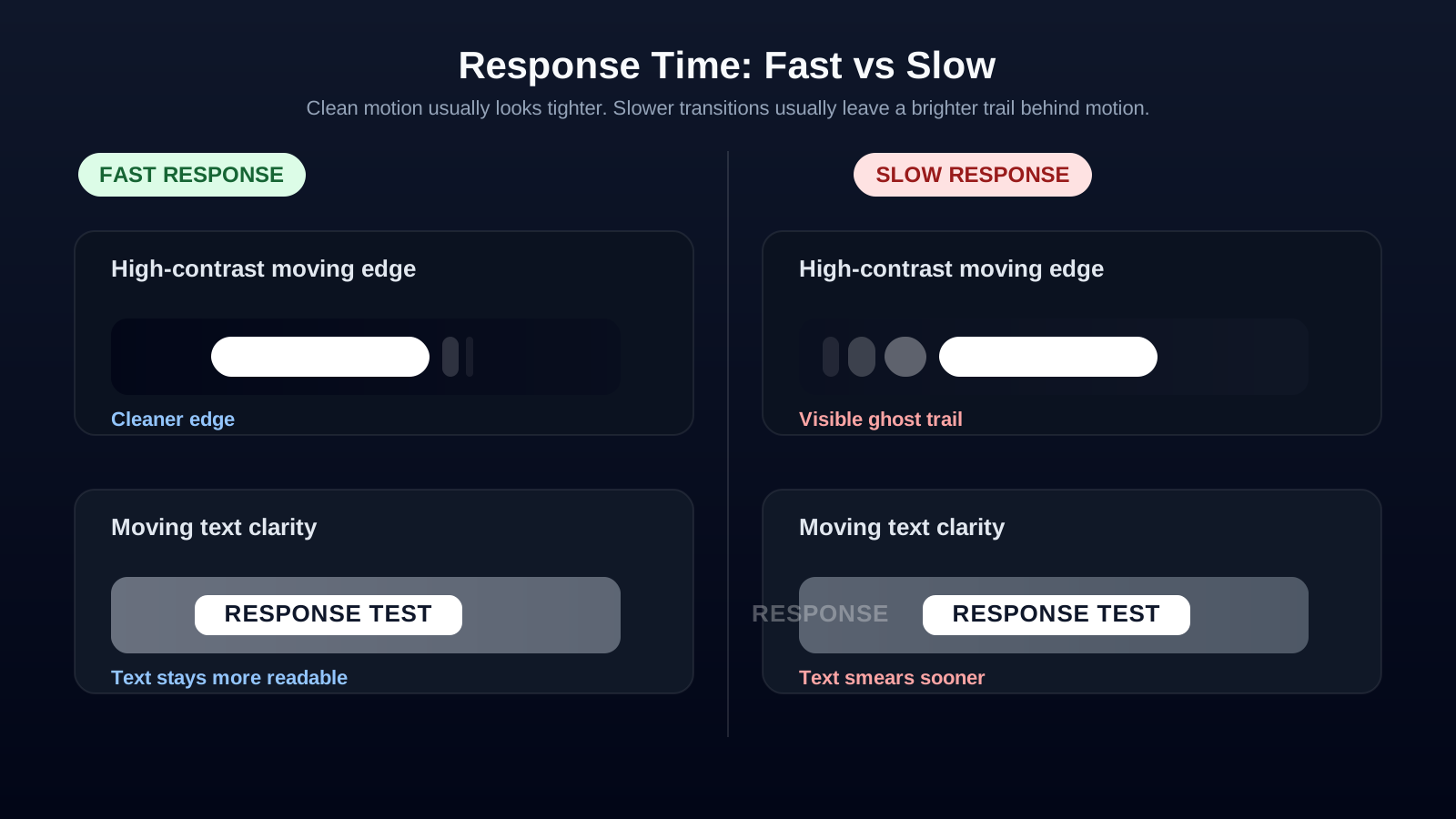
Test your monitor's response time online and evaluate motion clarity, ghosting, and pixel transitions. Run the test in full screen for the most accurate visual results.
- What it does: Shows moving high-contrast patterns to help you judge ghosting, blur, and pixel transitions visually.
- What it cannot do: It cannot read the exact millisecond hardware value from your monitor.
- Best setup: Use native resolution, highest refresh rate, and full screen for the cleanest result.
What Is Monitor Response Time?
Monitor response time is the amount of time a display takes to change a pixel from one color to another. It is usually measured in milliseconds (ms). Lower response times mean pixels change faster, producing clearer motion with less ghosting and blur.
Response time is one of the most important display specifications for gaming, sports, action movies, and other fast-moving content. While refresh rate determines how often a screen updates, response time affects how quickly each pixel reaches its new color.
Black-to-Black vs. Gray-to-Gray
Gray-to-Gray (GtG)
Gray-to-Gray (GtG) measures how quickly a pixel changes between different shades of gray. Because most real-world images contain many gray transitions, GtG is the industry standard used by most monitor manufacturers.
Black-to-Black (BtB)
Black-to-Black measures the time required for a pixel to change from black to white and back to black. Although it can be useful for comparison, it is less common today because it does not represent typical everyday usage as accurately as GtG.
Why Response Time Matters
Gaming
Fast response times help reduce ghosting, motion blur, and trailing effects during gameplay. Competitive gamers generally benefit from displays with response times of 1–2 ms, especially when paired with high refresh rates.
Movies & Sports
Fast-moving scenes in sports broadcasts and action films look sharper on displays with lower response times. Slow pixel transitions can make moving objects appear blurry or leave visible trails.
Creative Work
For photo editing and graphic design, color accuracy is usually more important than response time. However, video editors, animators, and motion designers can benefit from faster pixel transitions for smoother playback.
What Is a Good Response Time?
| Response Time | Best For |
|---|---|
| 1 ms | Competitive gaming |
| 2–5 ms | Gaming and everyday use |
| 5–8 ms | Office work, web browsing, streaming |
| Above 8 ms | Basic productivity, may show more motion blur |
How to Test Monitor Response Time
Our online Response Time Test displays moving patterns that help you identify motion blur, ghosting, and pixel transition performance. While browser-based tests cannot measure the exact millisecond response time reported by manufacturers, they provide a practical way to visually evaluate your monitor's motion performance.
- Use your monitor's native resolution. Scaling can reduce clarity and make motion artifacts harder to judge accurately.
- Set the highest available refresh rate. A higher refresh rate gives you a cleaner look at how the panel handles motion.
- View the test in full screen. That gives you the largest possible motion path and reduces browser distractions.
- Disable extra motion processing if needed. On TVs or heavily processed displays, motion enhancements can change what you see.